











Managing payments on Soccabet is easier when you check the payment options shown in your account before starting. Mobile Money is commonly used in Tanzania because it lets customers approve transactions from a phone. This page explains how to add funds, request a withdrawal, and keep a record of each transaction.
The available methods, payment details, and any account requirements can change, so rely on the information displayed in the cashier rather than messages shared elsewhere. Keep your registered phone nearby: most Mobile Money payments require confirmation on that device.
How to Deposit into a Soccabet Account
To fund your betting wallet, log in and open the deposit section in the account dashboard. Select one of the methods currently available, enter the amount, and follow the on-screen instructions. Check that the phone number and account details shown on the payment screen are correct before you continue.
The cashier may create a payment reference or direct you to complete the payment in your mobile wallet. Review the recipient, reference, and amount, then approve the request with your Mobile Money PIN. Do not confirm a prompt you did not initiate. Save the SMS or wallet receipt until the balance update is visible in your account.
If a deposit does not show straight away, avoid making the same payment again. First check whether the money was deducted from the wallet and compare the reference on your receipt with the one in the cashier. This helps prevent duplicate payments while a transaction is still being processed.
Soccabet Mobile Money Deposit
Mobile Money payments are made from the wallet linked to your phone number. Using a wallet registered in your own name can reduce verification questions later. Before paying, make sure the wallet has enough balance and that your phone can receive confirmation prompts or SMS messages.
MTN Mobile Money
If MTN Mobile Money is shown as an option, open the relevant payment or merchant section in your wallet and enter the details displayed in the Soccabet cashier. Confirm the amount and recipient carefully, then authorise the request with your PIN. Keep the transaction ID if you need help tracing the payment.
AirtelTigo Money
AirtelTigo customers should use the payment flow shown in the cashier and enter the recipient details exactly as displayed. A wrong digit can direct money elsewhere. After approval, retain the confirmation message and wait for the account balance to update before starting another attempt.
Vodafone Cash
Where Vodafone Cash is available, select the merchant or business payment option in the mobile wallet and use only the current details from the deposit screen. Review the amount before authorising it. Never share the PIN used to approve a wallet transaction.
Deposit Codes and Numbers
Payment codes, references, and recipient numbers are not details to copy from third-party posts. They may differ by method or be updated. Open the deposit screen after logging into your account to view the details intended for your transaction.
If a number or instruction looks different from what appears in the cashier, stop the payment. Contact support through the official site before sending funds. A screenshot of the payment screen and the wallet receipt can make it easier to explain the issue without disclosing your PIN or one-time code.
How to Withdraw Money from Soccabet
Open the withdrawal section in the account dashboard, choose an available payout method, and enter the amount you want to request. Confirm that the mobile wallet number is yours and is able to receive funds. The cashier will show any applicable requirements before you submit the request.
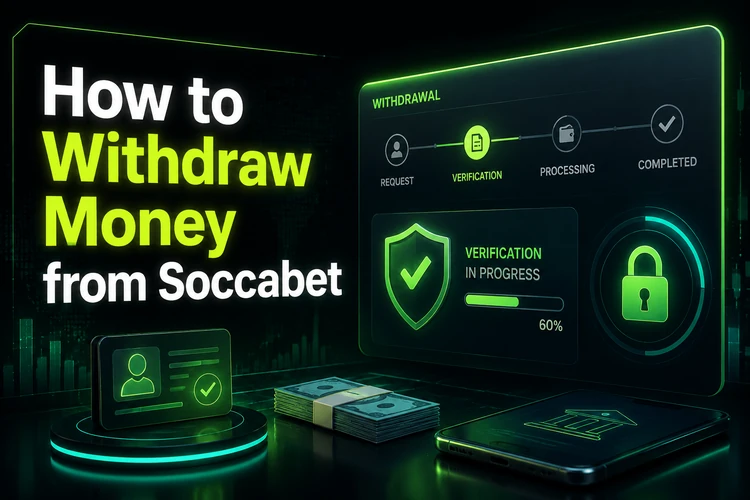
Some requests may require identity or account verification, particularly when account details need checking. Submit documents only through the official verification process and ensure that the name and details match your account. A withdrawal remains pending until the required review and payment processing are complete.
Check your wallet balance and transaction history after receiving a completion notice. If funds have not arrived, keep the withdrawal reference and contact support rather than submitting several requests for the same amount.
Common Payment Issues
If a deposit was deducted from your wallet but is not reflected in your betting account, collect the transaction ID, date, amount, and payment method. Check for a delayed status in the cashier, then contact support with those details. Do not send the same amount again until the first payment has been checked.
A pending withdrawal can mean that it is still in review or that additional information is needed. Check the account notifications and email linked to the account. Incorrect wallet details, an unavailable network, or a mismatch in personal information can also prevent a transaction from completing.
For repeated wallet errors, confirm your available balance and the payment details, then try again later if the provider reports a network problem. If you need assistance, use the official contact page and include the reference number, but never send your PIN, password, or OTP.
Payment Safety Tips
Use the official website and check the address bar before entering login details. Phishing pages may imitate a payment screen to collect passwords or wallet credentials. Keep your account password private and use a unique password that is not shared with other services.
Mobile Money PINs and one-time verification codes are private. Support staff should not need them to investigate a transaction. Keep confirmation messages and transaction IDs until each payment is settled, and review your account history regularly for activity you do not recognise.
Use your own Mobile Money account whenever possible and update a changed phone number through the proper account process. If spending on betting stops feeling manageable, review the tools and guidance on responsible gambling before making another deposit.
FAQ
Log in, open the deposit section, select an available payment method, and follow the cashier instructions. Check the amount and recipient details before approving the payment in your mobile wallet.
If MTN Mobile Money appears in the cashier, select it and use the payment details shown for that transaction. Confirm the request with your wallet PIN and retain the transaction ID.
Availability is shown in the deposit and withdrawal sections of your account. If AirtelTigo Money is listed, follow the displayed instructions and use only the current payment details.
Where Vodafone Cash is available in the cashier, choose it as your payment method and complete the merchant payment using the details shown on screen. Review all details before authorising the payment.
The current recipient number or payment reference is displayed after you start a deposit in your account. Do not rely on numbers shared on social media, messaging apps, or third-party websites.
Check the transaction history in your wallet and account first. Keep the transaction or withdrawal reference, then contact official support if the status does not update or if additional verification is requested.