











This page explains how to access a Soccabet account in Tanzania, create a new profile, use a phone or application, and recover access if a password is forgotten. It also covers basic checks that help protect your personal details and betting activity.
The account area is intended for adults who want to manage an online betting account through the official site or an available mobile option. After authentication, the personal dashboard may show betting activity, balance details, transaction records and account settings. Use the official website or verified application rather than an unfamiliar link shared through social media or a message.
Accessing Your Account
The login form is usually available from the homepage and asks for the phone number or email address connected to the account, together with the password. Enter the details carefully, check that the page address is correct, and select the on-screen login control. A mistyped number, an extra space in an email address or an incorrect password can prevent authentication.
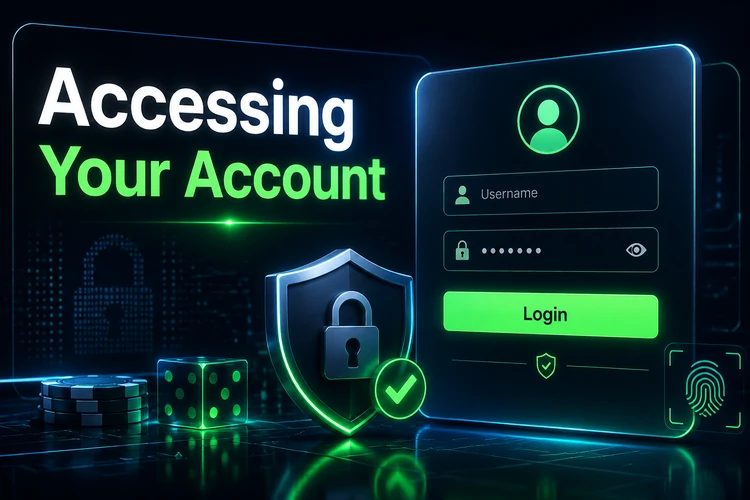
Once the credentials are accepted, review the dashboard before placing any bet. Confirm that the displayed account information is yours and that recent activity looks familiar. On a shared or public computer, do not save the password and sign out when finished. A trusted personal device can be more convenient, but it should still have a screen lock and current security updates.
If the form rejects valid details, first check the keyboard language, capitalisation and internet connection. Refreshing the page can help when a session has expired. Avoid repeated guesses, because several unsuccessful attempts may trigger a temporary security restriction.
Creating a New Account
New users must complete the registration process before they can sign in. The registration page may request basic information such as a full name, date of birth, phone number and email address. Enter information that matches your own documents and keep the contact details accessible, since they may be used for confirmation or password recovery.
Choose a strong, unique password during registration. A useful password is longer than a simple name or date and does not repeat a code used for email, banking or social media. Read each field before submitting the form, including any age or account conditions. Users must be at least 18+ to create and use a betting account.
Phone confirmation may involve a code sent by SMS. Enter the code only on the official account page and never forward it to another person. If a message is delayed, check mobile reception and wait before requesting another code. After the required details are accepted, sign in with the new credentials and check whether any additional verification is shown before using account functions such as withdrawals.
Mobile Access
The mobile version allows users to open the site in a smartphone browser without installing additional software. Open a current browser, enter the official website address directly or use a trusted bookmark, and select the login area. The layout adapts to a smaller screen, while the account credentials remain the same as those used on a computer.
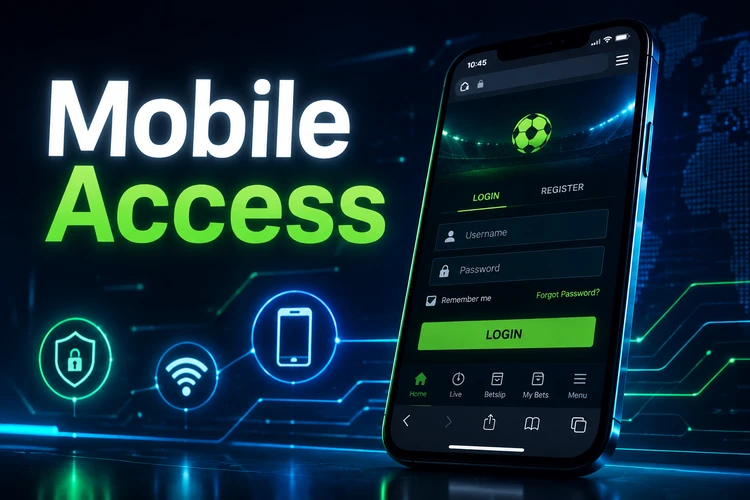
On a phone, type the password carefully because small keyboards can cause errors. Avoid using an open public Wi-Fi network for account activity when a more trusted connection is available. If the browser offers to remember credentials, use that feature only on a private device protected by a passcode. Bookmarking the verified page can reduce the risk of opening a look-alike site later.
After signing in, the mobile layout can be used to review the balance, check account history and manage available betting options. Keep the browser and operating system updated. If the page displays incorrectly, close unused tabs, clear a temporary cache if necessary, or try another current browser before entering the password again.
Using the Application
Users who prefer an application can review the application information and follow the official installation instructions available for their device. After installation, open the application and enter the existing account credentials rather than creating a second profile. Confirm that the publisher and requested permissions are appropriate before completing installation.
An application may keep a session active for convenience, but this setting should be used only on a personal phone. If the device supports fingerprint or face recognition, biometric access can reduce the need to type a password; it does not replace the need for a strong password or a screen lock. Do not install files sent by unknown contacts.
Application behaviour can depend on the device, operating system and connection quality. If login fails after an update, check the connection, close and reopen the application, and look for an official update. Do not repeatedly submit credentials while an error message is loading, and never provide a one-time code to someone claiming to offer technical help.
Recovering Access
If the password is forgotten, use the recovery option shown below the login form. Enter the registered phone number or email address and follow the instructions sent by the account system. Check the spam folder if an email does not appear, and make sure the phone can receive SMS messages.
Create a new password that has not been used on another service. Type it twice when requested and store it in a reputable password manager if appropriate. A reset link or verification code should be used only on the official page. If it has expired, request a new one instead of relying on an old message.
Contact customer support if you no longer control the registered contact details or the recovery process does not work. Be ready to describe the problem without sending your password, one-time code or full payment details. Support may need to verify ownership before changing account information, so provide only the information requested through the official channel.
Common causes of failed access include an outdated password, a locked account, a changed phone number, poor connectivity or a temporary service issue. Record the exact error message and the time it appeared. This gives support useful information and avoids unnecessary repeated attempts.
Account Security
Account security depends on both the platform and the user. Use a separate password for the betting account, keep the phone number and email address current, and review messages that report sign-ins or account changes. Never disclose credentials to friends, agents or people who contact you unexpectedly.

Before signing in, inspect the browser address bar and check that the connection is secure. Do not enter personal details on pages reached through suspicious advertisements, shortened links or unsolicited messages. An official-looking design is not enough proof that a page is genuine.
Sign out after using a shared device and remove saved credentials if another person can access that computer. On a personal phone, use a screen lock and install updates from the device's normal software store. If you notice an unfamiliar transaction or account change, stop using the account and report it through the official support channel.
Set limits that fit your budget and take breaks from betting. Responsible gambling means treating betting as entertainment rather than a way to solve financial problems. If activity stops feeling controlled, use the available account controls and seek appropriate support before continuing.
FAQ
Use the phone number or email address registered to the account and the password created during registration. Check the website address before entering either detail, especially if you opened the page from a message or advertisement.
Yes. The same credentials can be used on a phone, tablet or computer. Account information should be checked after login, and you should sign out on devices that other people can access.
Check the keyboard settings, connection and spelling first. If the problem continues, use the password recovery option and follow the current instructions. Avoid repeated guesses and contact support if recovery is unavailable.
It is safer only when the phone is personal, protected by a screen lock and not shared with others. Sign out after use on a borrowed or shared device, and do not save credentials in a browser that other people can open.
Phone confirmation may be completed through an SMS code, while any additional identity check depends on the information requested and the documents supplied. If a verification step remains pending, contact support through the official channel.